LAST CALL Controls
Master Driver handling and Passenger sabotage inputs without guessing mid-corner.
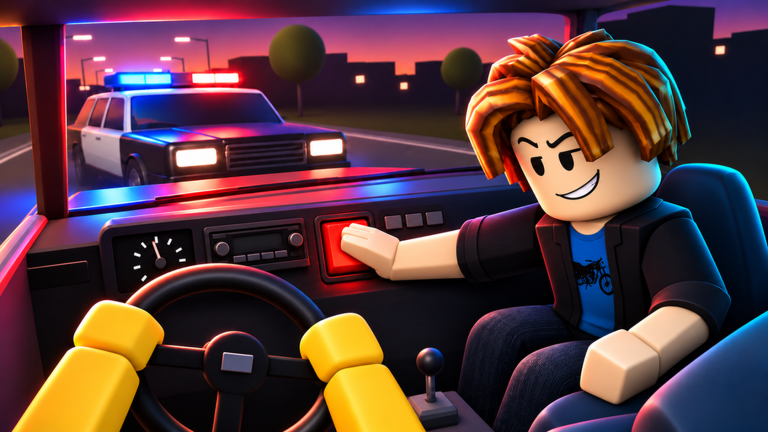
Controls decide whether LAST CALL feels like a comedy road trip or a friendship speedrun to the respawn button. This guide covers how Driver and Passenger inputs differ in LAST CALL [BETA] by TAZ Syndicate, what to expect from Roblox vehicle defaults, and how to practice so chaos stays funny instead of unplayable.
Because the game is in active BETA, always trust on-screen prompts if a patch remaps a key. We describe the control philosophy and common Roblox driving patterns here—not a fake key table invented for SEO.
New to the experience? Skim Getting Started first, then return here with a car under you.
Dual-role control model
LAST CALL splits authority across two seats:
| Role | Primary job | Control focus |
|---|---|---|
| Driver | Keep the car on the road, avoid cops, reach home | Steering, throttle, brake, camera, recovery |
| Passenger | Mess with car controls, distract, create chaos | Interaction keys, timing toggles, cabin mischief |
Both players share one vehicle state. When the Passenger triggers a sabotage, the Driver must answer with corrected inputs. That feedback loop is the mechanical heart of the game—more important than any single bind.
Driver controls (what to master)
Locomotion basics
On PC Roblox racers, Drivers typically steer and accelerate with standard vehicle keys (WASD or arrow keys), brake/reverse on the back key, and may have a drift or handbrake bind on Space or a similar key. Controllers usually map throttle and brake to triggers and steering to the left stick.
Do this on day one:
- Enter the Driver seat and slowly test forward, brake, and reverse in a safe stretch of city street.
- Find the camera toggle (often a view key or right stick click on controllers) and pick a distance you can read corners with.
- Practice a gentle drift on an empty curve before the forest section.
- Re-center the camera after every Passenger jolt—disorientation causes more crashes than raw speed.
Driving priorities under pressure
- Throttle discipline: Flooring it through every straight makes Passenger chaos unrecoverable.
- Brake markers: Pick visual landmarks (signs, tree lines, intersections) so you brake before a bend.
- Police lines: Smooth lanes draw less disaster than dramatic swerves when a patrol appears.
- Recovery: If the car spins, stop fighting the wheel for a beat, straighten, then reapply throttle.
Communication binds (meta, not keys)
Your most important “control” is callouts. Bind push-to-talk if you use voice, or prepare short text macros: cops, hold chaos, go, reset. Eight-player servers are noisy; clear signals keep your duo synced.
Passenger controls (what to master)
Passenger play is interaction-driven. Instead of continuous steering, you trigger cabin systems, distractions, and control interference when the UI offers prompts. Exact labels change in BETA, so learn the pattern:
- Seat as Passenger and watch for highlighted actions or a chaos menu.
- Trigger one interaction on a straight while the Driver is stable—observe how hard the car reacts.
- Rank your tools mentally: soft distraction vs hard control yank.
- Spend hard tools when the Driver is on a wide city lane, not mid hairpin—unless you agreed to full saboteur mode.
Chaos timing framework
- Green zones: Long straights, post-corner exits, moments when cops are not visible.
- Yellow zones: Gentle curves, light traffic, Driver already correcting.
- Red zones: Tight forest bends, active police pressure, bridge-like narrow sections, low health / smoking car vibes.
Great Passengers live in green, flirt with yellow, and visit red only for highlight clips.
Platform notes
PC
- Highest precision for Driver micro-corrections.
- Easy to keep this wiki open on a second monitor while learning.
- Watch for UI buttons that require mouse clicks between key presses.
Mobile
- On-screen joysticks and tap buttons replace physical keys.
- Increase touch sensitivity carefully; oversteer is common.
- Consider a clip-on controller if you main Driver.
Gamepad
- Comfortable for long sessions and camera work.
- Confirm which face button triggers Passenger interactions so you do not accidentally pause.
- Dead zones matter—tighten them if steering feels mushy in forest drifts.
Camera, UI, and settings that feel like controls
Treat these as part of your control scheme:
- Field of view / camera distance: Far enough to see sidewalks and patrols, close enough to judge the nose of the car.
- Graphics quality: Stable FPS beats max shadows when the Passenger starts a chaos chain.
- Volume mix: Engine and siren cues are gameplay information; do not mute everything for music.
- Shift lock / cursor modes: If a menu steals your mouse mid-drive, know how to release it quickly.
Roblox settings live outside the experience—tune them before a serious home attempt.
Practice drills (10 minutes)
- Driver only drill: Ask your Passenger to stay quiet for one city loop. Focus on brake points.
- Soft chaos drill: Passenger may use only low-impact distractions for a full run.
- Callout drill: Driver navigates while Passenger only calls cops and corners—zero sabotage.
- Swap drill: Change seats and repeat drill 1 so both players understand the other’s inputs.
Log what ruined each run. Most “control problems” are actually timing or communication problems.
Troubleshooting input issues
| Symptom | Likely cause | Fix |
|---|---|---|
| Car ignores steering | Wrong seat / UI focus | Click back into game; confirm Driver seat |
| Random spins | Passenger hard chaos mid-turn | Agree on red-zone rules |
| Camera inside dashboard | Accidental view toggle | Cycle camera binds; reset default |
| Mobile drift forever | Sticky virtual joystick | Recenter thumb; lower sensitivity |
| Feels different after patch | BETA remap | Read Updates; retest slowly |
If controls feel broken for everyone in the server, check TAZ Syndicate channels before assuming your device failed.
Fair play reminder
Do not download executors that promise “auto drive,” “anti-chaos,” or “cop ESP.” Those are covered on the Scripts Hub and can ban your account. Real improvement comes from drills, the Guides Hub, and reviewing funny failures together.
Promo hunters should also stay on legitimate Codes flows—never a script that “unlocks controls.”
Link your learning path
- Getting Started — roles and run flow (includes a real gameplay video).
- This Controls page — inputs and drills.
- Guides Hub — upcoming role deep-dives as BETA matures.
- Tier List — once strategies stabilize.
- Players Hub — whether the humor matches your group.
Closing mindset
Driver controls keep the promise of getting home. Passenger controls keep the promise of total chaos. Learn both, even if you main one seat. The best LAST CALL duos can swap mid-night and still speak the same control language—when to push, when to breathe, and when the driveway is finally close enough to behave… for five seconds.
Frequently Asked Questions
Quick answers for drivers and passengers.
What are the exact keybinds for LAST CALL?
Treat in-game prompts as the source of truth during BETA. PC Drivers usually start from standard Roblox vehicle keys (WASD, brake, optional drift key). Passengers use interaction prompts rather than continuous steering.
Can I remap controls?
Use Roblox’s device settings and any in-experience settings menu TAZ Syndicate provides. Remap carefully so you do not fight default tutorials.
Why does the car randomly jerk?
Most of the time that is Passenger chaos working as designed. Agree on timing rules, then practice recovery steering as Driver.
Is controller better than keyboard?
Controllers feel great for steering and camera; keyboards feel great for precise taps. Pick what your hands already know, then drill.
Do mobile players stand a chance as Driver?
Yes, especially after sensitivity tuning. Many mobile Drivers still prefer a friend on Passenger who understands soft chaos rules.
Where should I go after learning controls?
Return to the Guides Hub for role strategy, check Updates after patches, and ignore unverified scripts that claim to automate driving.